Building My Admin PC
The Ryzen 5 5600X and RTX 3070 Ti workstation I built to run the lab from, dual-booting Ubuntu and Windows 11.
- Stack
- UbuntuWindows 11
The workstation I run FSJ-LAB from.
Goal
Every lab needs a place to run it from. I wanted one machine for SSH and console sessions to the switches and FortiGate, managing the Proxmox nodes, and staging packages before they move into the air-gapped lab. I also wanted to build it myself rather than buy one prebuilt.
It dual-boots Ubuntu for Linux-native lab tooling and Windows 11 for everything else.
Specs at a glance
| Component | Part |
|---|---|
| CPU | AMD Ryzen 5 5600X (6-core / 12-thread, 3.7 GHz base) |
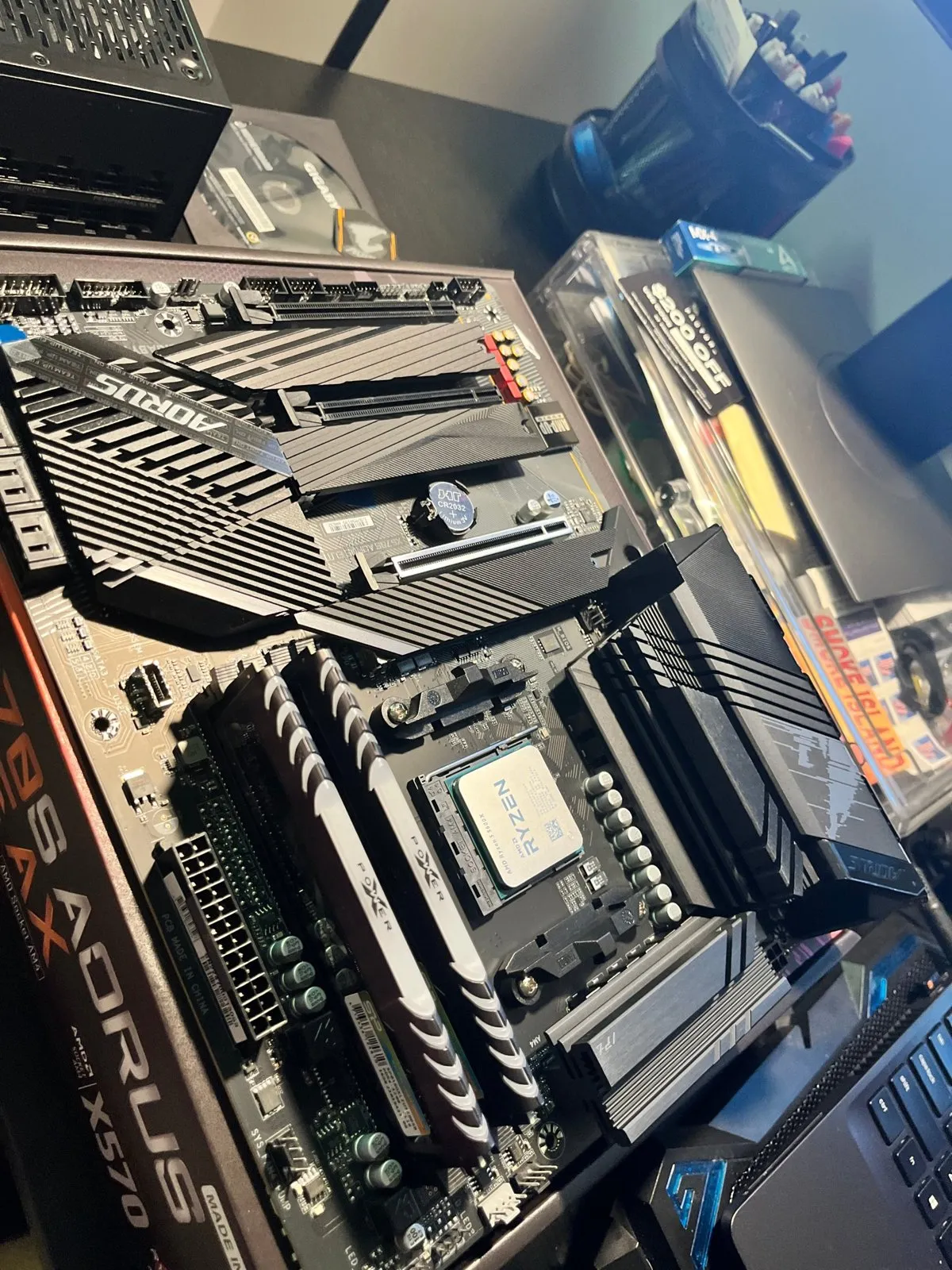
| Motherboard | Gigabyte X570S AORUS ELITE AX (ATX, AM4) |
| Memory | Silicon Power XPOWER Turbine RGB 32 GB (2 × 16 GB) DDR4-3200 CL16 |
| Storage | Samsung 970 EVO Plus NVMe M.2 (PCIe 3.0 x4) |
| Graphics | ASUS TUF Gaming GeForce RTX 3070 Ti OC V2 (8 GB GDDR6X) |
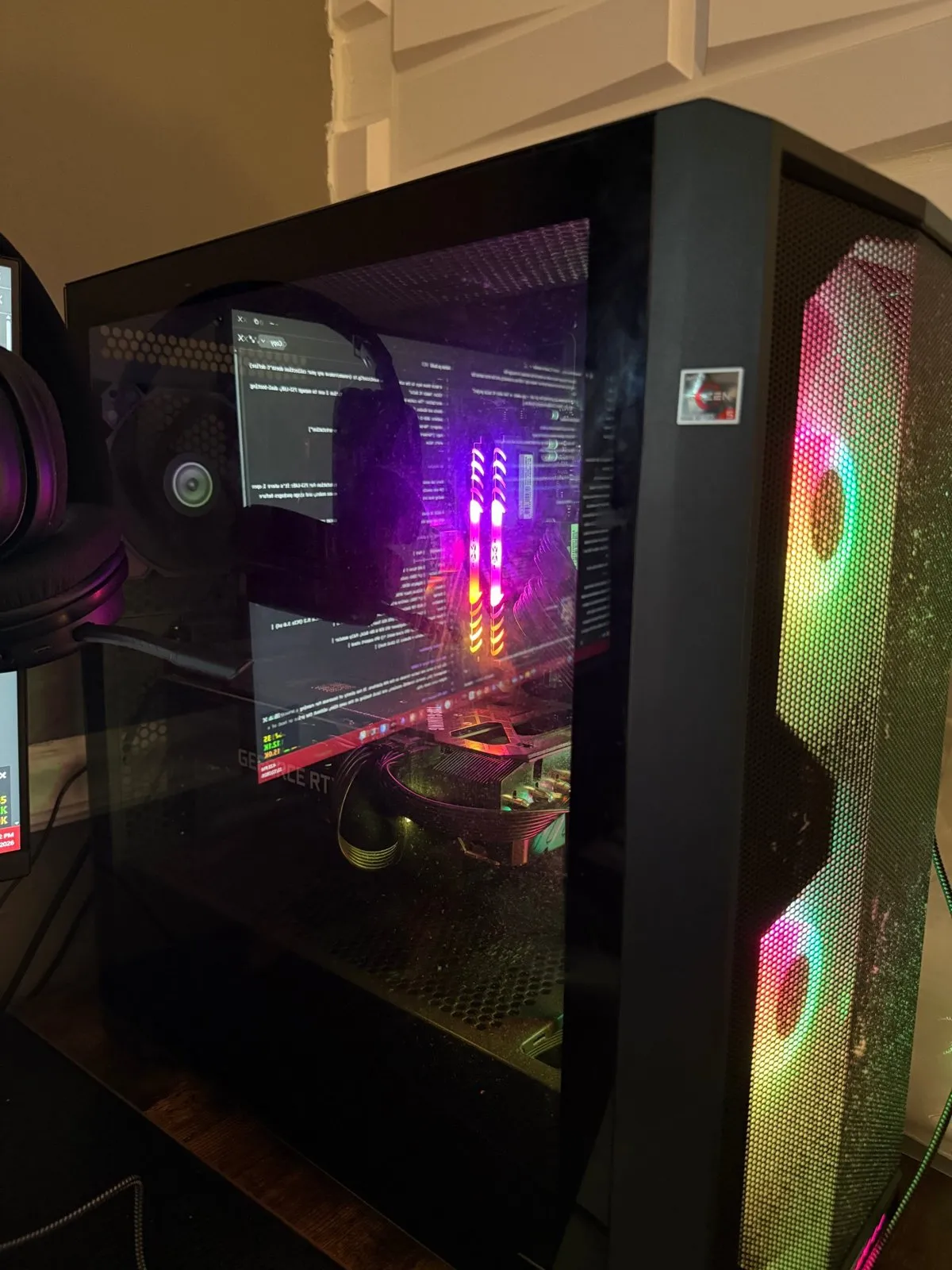
| Case | Lian Li LANCOOL 215 (ATX mid tower) |
| Power supply | Thermaltake Toughpower GF1 850 W 80+ Gold, fully modular |
| GPU support | GPU support stand |
| OS | Ubuntu + Windows 11 (dual boot) |
Product breakdown
CPU: AMD Ryzen 5 5600X. Six Zen 3 cores and twelve threads on AM4. It has plenty of headroom for a browser full of management UIs, several terminal sessions, and local tooling at once, without the cost or heat of a higher-core-count chip.
Motherboard: Gigabyte X570S AORUS ELITE AX. The X570S chipset gives PCIe 4.0 to the GPU and primary M.2 slot. It has several M.2 slots for NVMe storage and onboard Wi-Fi 6 (the “AX”). The “S” revision uses a passively cooled chipset, so there’s no small chipset fan to wear out or whine.
Memory: Silicon Power XPOWER Turbine RGB 32 GB DDR4-3200 CL16. A dual-channel 2 × 16 GB kit running at 3200 MT/s through its XMP profile. That’s enough for heavy multitasking, and it leaves two DIMM slots free for a later upgrade to 64 GB.
Storage: Samsung 970 EVO Plus NVMe. Fast, reliable NVMe storage on the M.2 slots. Both operating systems live here, along with the staging area for files headed into the lab.
Graphics: ASUS TUF Gaming RTX 3070 Ti OC V2. An 8 GB GDDR6X card with a triple-fan TUF cooler. It drives the displays, handles general GPU work, and gives me CUDA for experimenting locally.
GPU support stand. The 3070 Ti is a long, heavy triple-fan card. A stand under its far end prevents GPU sag, which takes strain off the PCIe slot and keeps the card level over time.
Case: Lian Li LANCOOL 215. A mesh-front ATX mid tower with two large front intake fans. It gives the GPU and CPU strong airflow and leaves room for clean cable routing.
Power supply: Thermaltake Toughpower GF1 850 W 80+ Gold. 850 W gives comfortable headroom over the 5600X and 3070 Ti’s peak draw, which keeps the PSU in its efficient, quiet range. Being fully modular means only the cables I need are installed, so the case stays cleaner and airflow is better.
The build
I assembled it by following Linus Tech Tips’ full-length guide, How to build a PC, the last guide you’ll ever need!. It covers part selection, assembly order, cable management, and first-boot troubleshooting.
Dual boot: Ubuntu and Windows 11
- Ubuntu handles lab administration: SSH to the IOS gear and the FortiGate, Proxmox management, and package staging for the air-gapped network.
- Windows 11 covers everything that’s Windows-only.
Skills this covered
- Component selection and compatibility planning: socket, chipset, PSU headroom, and case clearance
- Hands-on assembly and cable management
- BIOS/UEFI setup, including the XMP memory profile and boot order
- Installing and running two operating systems side by side